
Estimated reading time: 6 minutes
For many small and medium-sized businesses, remote working is now part of everyday life.
Whether staff are working from home full time, travelling between sites, or occasionally logging in remotely, businesses need a safe and reliable way for teams to access the systems they need.
One of the most common questions we hear is:
Do remote staff actually need to connect to the office network?
The answer depends entirely on how your business systems are set up.
In many modern environments, the answer is no. But in others, secure remote access remains essential.
In this guide, we explain when remote staff need access to the office network, the safest ways to provide that access, and how businesses can reduce risk while supporting flexible working.
When Office Network Access Is Required
Not every business is fully cloud based.
Many organisations still rely on systems that remain hosted within the office or on local infrastructure.
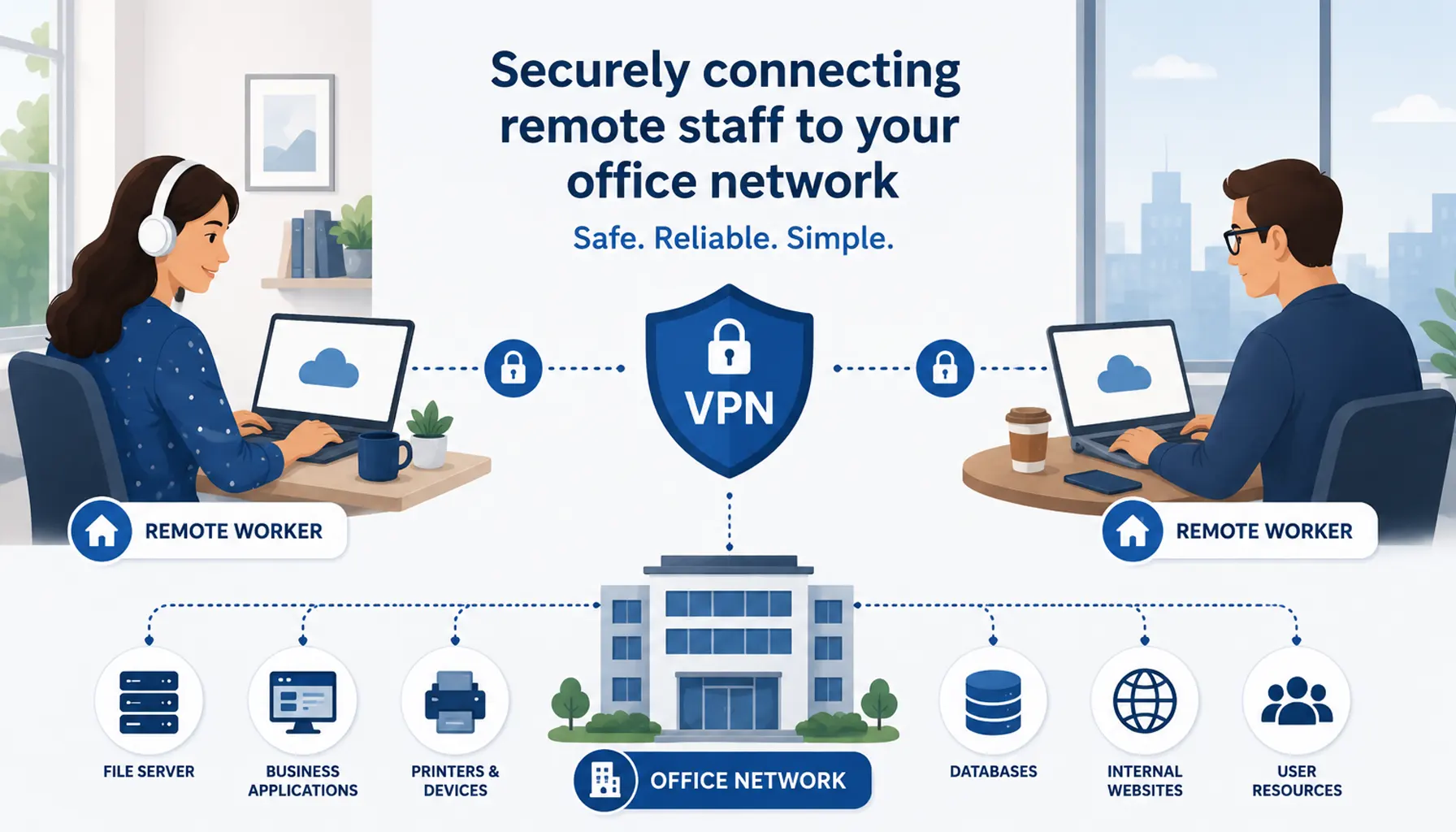
This may include legacy line-of-business applications, file servers and shared drives, on-premises accounting or CRM systems, internal-only databases or websites, specialist software tied to office infrastructure, or printers and networked devices.
If staff need access to these systems remotely, businesses must provide a secure way for them to connect.
Simply exposing internal systems directly to the internet creates significant cyber security risk and should be avoided.
Instead, businesses should use controlled, encrypted remote access solutions designed to protect both users and company data.
Using a VPN for Secure Remote Access
The most common solution for connecting remote workers securely is a Virtual Private Network (VPN).
A VPN creates an encrypted connection between the user’s device and the office network.
This allows remote staff to securely access systems and resources as though they were physically in the office.
When configured correctly, VPNs help protect business data, user credentials, file transfers, and internal communications.
Typical VPN setup involves configuring a VPN service on the firewall or router, creating secure user accounts and permissions, installing VPN software on remote devices, enforcing multi-factor authentication (MFA), and monitoring and updating the VPN regularly.
Without proper security controls, VPNs themselves can become targets for attackers, which is why ongoing management and monitoring are important.
Alternatives to Traditional VPNs
Modern businesses are increasingly adopting alternatives to traditional VPN infrastructure.
These approaches can improve security, simplify management, and provide more granular access control.
Zero Trust and Cloud-Based Access
Zero Trust security models verify every user and device before access is granted, rather than automatically trusting anyone connected to the network.
Cloud-based remote access platforms can provide secure application access without exposing the full internal network.
Application Proxies
Solutions such as Microsoft Entra Application Proxy allow businesses to securely publish internal web applications without requiring full VPN connectivity.
This can reduce complexity while improving security.
Remote Desktop Solutions
Some businesses use remote desktop technology which allows staff to securely connect directly to their office PC and work remotely from that machine.
This can be useful for specialist applications that cannot easily move to the cloud.
Security Considerations for Remote Working
Supporting remote staff securely involves more than simply providing access.
Businesses should also consider multi-factor authentication, device security and compliance, endpoint protection, strong password policies, secure Wi-Fi usage, monitoring and logging, and staff cyber security awareness training.
Remote access increases the number of entry points into the business, so good security hygiene becomes even more important.
Choosing the Right Approach for Your Business
Every business environment is different.
Some organisations can operate almost entirely through cloud platforms with minimal complexity.
Others still depend on on-premises systems which require carefully managed remote access solutions.
The right setup depends on factors such as the software your business uses, your security requirements, how staff work day to day, compliance obligations, and long-term growth plans.
A well-designed remote access strategy should balance security, usability, reliability, and future scalability.
Frequently Asked Questions
Do remote staff always need VPN access?
No. If your business primarily uses cloud platforms like Microsoft 365 or Google Workspace, staff can often work securely without connecting to the office network.
What does a VPN do?
A VPN creates an encrypted connection between a remote device and the office network, allowing secure access to internal systems and files.
Are VPNs secure?
Yes, when configured and managed correctly with strong authentication and regular updates.
What is Zero Trust remote access?
Zero Trust security verifies every user and device before granting access rather than automatically trusting devices connected to the network.
Can remote desktop software replace a VPN?
In some cases, yes. Remote desktop access can allow users to work securely on their office PC remotely without direct access to the wider network.
Supporting Secure Remote Working
At Telanova, we help businesses across Wokingham, Ascot, Bracknell, Reading and the wider Berkshire region build secure, practical remote working environments.
Whether you need VPN setup, Microsoft 365 optimisation, secure remote access solutions, or guidance on modernising legacy systems, we help businesses create solutions that work reliably without unnecessary complexity.
If you are unsure which approach is right for your organisation, we are always happy to provide practical, straightforward advice.
Explore our IT support services or call 01344 989 530 to speak with our team.