
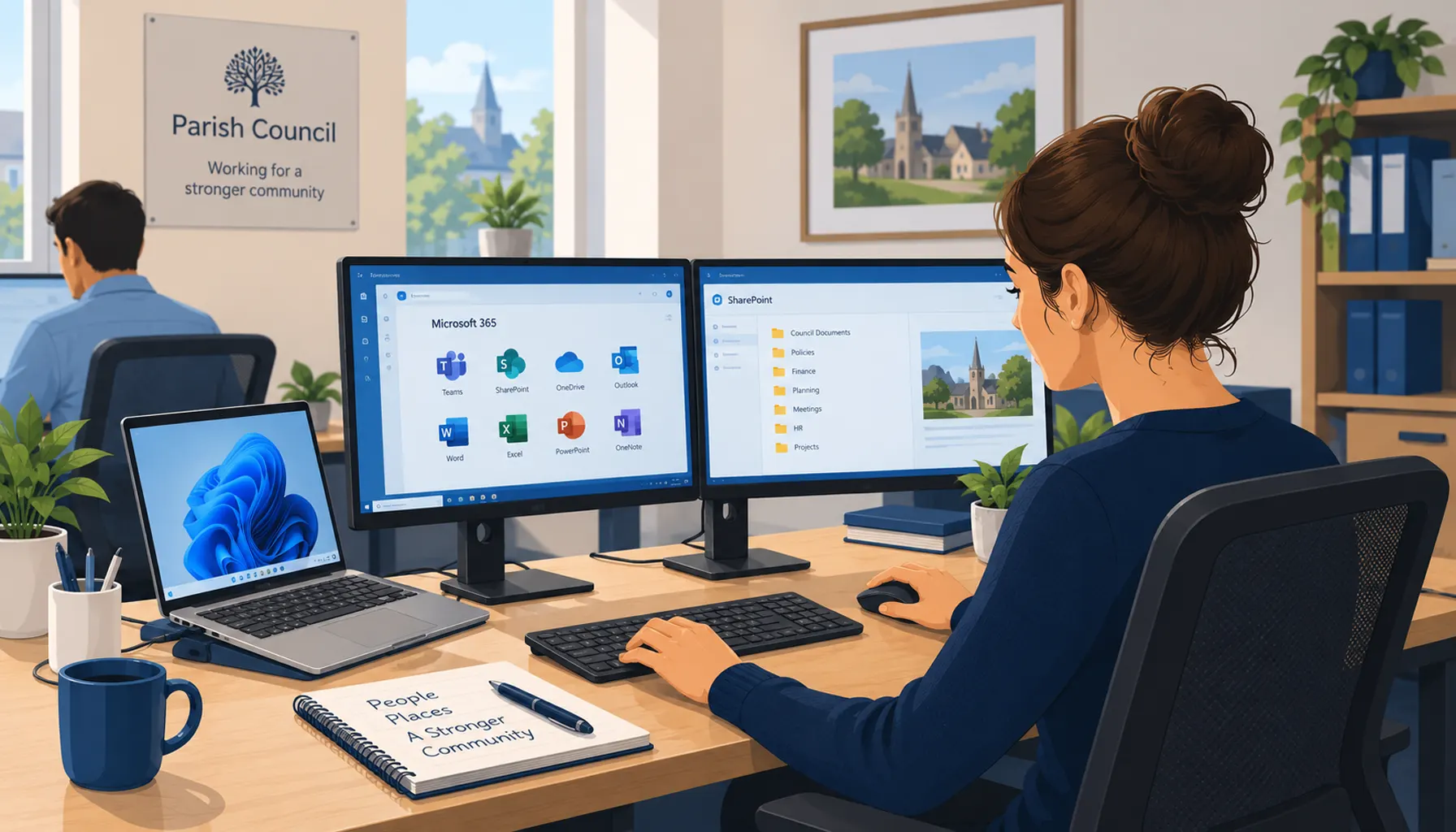
A parish council in Berkshire needed to modernise its IT environment, replace ageing technology and move away from an end-of-life on-premises server.
Telanova delivered a complete workplace refresh, combining new Windows 11 laptops, Microsoft 365 cloud migration, improved device security, faster internet connectivity and modern workstation setups.
The result was a more secure and manageable IT environment that removed the council's reliance on its legacy server and enabled staff to work effectively from both the office and home.
At a Glance
Client: Parish council
Location: Berkshire, UK
Challenge: Ageing Windows devices, an end-of-life SBS 2011 server and infrastructure that limited flexible working
Services delivered: IT modernisation, cloud migration, Microsoft 365 migration, device management, security improvements, connectivity planning and ongoing IT support
Technologies: Windows 11, Microsoft 365 Business Premium, Microsoft Intune, Microsoft Entra ID, Microsoft Defender, OneDrive, SharePoint, FTTP and Rialtas Cloud
Outcome: Removal of the legacy server dependency, centrally managed security and greater flexibility for employees to work from the office or home
The Challenge
The council's existing IT environment relied on ageing devices and an end-of-life SBS 2011 server.
They wanted to modernise their technology while creating a more secure and sustainable environment for office staff. The project also needed to make day-to-day working easier and give employees greater flexibility to work from the office or home.
The requirements included:
- Replacing Windows 10 devices with new Windows 11 laptops.
- Reusing existing Windows 11 laptops where appropriate.
- Modernising desk and monitor setups.
- Migrating data and services away from the SBS 2011 server.
- Moving personal files to Microsoft OneDrive and shared files to Microsoft SharePoint.
- Migrating from on-premises Rialtas to Rialtas Cloud.
- Enabling staff to work effectively from different locations.
- Improving the organisation's security posture.
- Providing ongoing IT support for the new environment.
What Telanova Delivered
Telanova planned and delivered a modern workplace refresh covering the council's devices, cloud services, data, connectivity, security and day-to-day working environment.
The project combined new and existing Windows 11 laptops with Microsoft 365 Business Premium, Microsoft Intune, Microsoft Entra ID, OneDrive, SharePoint and Microsoft Defender. Telanova also helped the council address the connectivity requirements of moving to a cloud-based environment and provided ongoing IT support for the new setup.
Planning the Modern Workplace Refresh
Telanova began by reviewing the existing device estate, server-based data structure and the technology employees relied upon day to day.
New and existing laptops were prepared and joined to Microsoft Entra ID. Microsoft Intune baseline security policies were configured for office staff devices, providing a consistent approach to device configuration and protection.
Each laptop was also prepared with the applications required by the council, including Microsoft Office, Chrome, Adobe Reader, VLC, Zoom Workspace, 7-Zip and Telanova's remote monitoring tools.
Workstations were modernised alongside the laptop refresh. Desks were equipped with a laptop-based setup incorporating a docking monitor, additional monitor, dual monitor arm and wireless keyboard and mouse.
This created a more flexible working environment while reducing dependence on the council's older desktop-style infrastructure.
Moving from SBS 2011 to Microsoft 365
Personal files stored on existing devices were migrated to Microsoft OneDrive, giving users cloud-based access to their files through Microsoft 365.
Browser bookmarks and passwords were also included as part of the transition to minimise disruption and make the move to the new laptops as seamless as possible for employees.
Shared files remaining on the SBS 2011 server were migrated into Microsoft SharePoint.
Historic clerk data was migrated and reorganised to create a clearer structure, while potentially useful historic shared data was retained and filed appropriately.
At the same time, Rialtas migrated the council from its on-premises application to Rialtas Cloud.
Together, these changes significantly reduced the council's dependence on locally hosted server infrastructure and enabled employees to access the files and services they needed through cloud-based platforms.
Improving Connectivity for Cloud Working
During the project, Telanova identified another potential barrier to the council's move to the cloud: its existing ADSL internet connection.
The connection was not sufficiently fast or reliable for the cloud-first environment the council wanted to adopt.
Telanova researched the internet technologies available locally and identified an FTTP (fibre to the premises) provider that could deliver the required connectivity within the council's budget.
Once the new FTTP connection had been installed, the cloud migration could proceed.
Strengthening Security with Microsoft 365 Business Premium
As part of the project, the council's Microsoft 365 licences were upgraded from Microsoft 365 Business Standard to Microsoft 365 Business Premium.
This provided access to additional Microsoft 365 security and management capabilities, including:
- Microsoft Intune for device management.
- Microsoft Defender for Business for endpoint protection.
- Microsoft Defender for Office 365 for improved email protection.
- Microsoft Entra ID for identity and access management.
The move allowed security settings, access controls and threat protection to be managed more consistently across the organisation rather than relying primarily on individual users and devices.
Microsoft Intune was used to configure and enforce device compliance requirements across the Windows 11 laptop estate.
Policies helped ensure important protections including BitLocker drive encryption, Windows Firewall, antivirus protection and device health requirements were enabled and monitored.
This helped protect information stored on laptops if a device was lost or stolen while also giving the support team better visibility of devices that did not meet the agreed security baseline.
The refresh also removed end-of-life operating systems and unsupported applications from the environment.
Supporting Staff Through the Change
Technology migration is only successful if the people using it can continue working effectively.
Each end-user therefore received a briefing and handover to confirm that their new device, files, applications and workstation were ready for their role.
Employees also had the opportunity to raise questions before the refreshed environment became part of their normal day-to-day working.
This helped minimise disruption during the transition and ensured users were comfortable with their new setup.
Results and Benefits
The completed project gave the parish council:
- A refreshed Windows 11 laptop estate.
- Consistent device configuration and baseline security through Microsoft Intune.
- Modern docking and dual-monitor workstation setups.
- Removal of its dependency on the legacy SBS 2011 server.
- Cloud-based access to personal files through Microsoft OneDrive.
- Shared document management through Microsoft SharePoint.
- A clearer and better-organised data structure.
- Cloud-based access to Rialtas.
- Improved internet connectivity to support cloud working.
- Greater flexibility for employees to work from the office or home.
- A more centrally managed approach to IT security.
- Ongoing IT support for the new environment.
The Outcome
The project gave the parish council a structured path away from ageing on-premises infrastructure and towards a more secure, manageable and cloud-based way of working.
By combining device replacement, Microsoft 365 migration, improved connectivity, workstation modernisation, cloud applications and centrally managed security, Telanova created an IT environment better suited to the council's current needs and future digital working.
Most importantly, the project wasn't simply about replacing an old server. It created a modern IT foundation that makes it easier for employees to access the systems and information they need securely, wherever they are working.
Relevant Telanova Services
This project brought together several areas of Telanova's IT expertise, including Microsoft 365, cloud migration, device management, cyber security, business connectivity and ongoing IT support.
For organisations with ageing infrastructure or businesses considering a move away from an on-premises server, Telanova can review the existing environment and develop a practical migration plan based on how the organisation needs to work.
Is Your Organisation Still Relying on Ageing IT Infrastructure?
If your organisation is still dependent on an ageing server, unsupported software or technology that makes remote and flexible working difficult, Telanova can help you plan the next step.
We can review your existing IT environment, identify what should be retained or replaced, and develop a practical migration plan covering devices, Microsoft 365, cloud services, security, connectivity and ongoing support.