
Estimated Reading Time: 13 - 15 minutes
Most businesses understand the importance of backing up their data. Whether it's customer information, financial records, emails or important project documents, losing access to that information can cause serious disruption.
However, there is another question that is just as important as whether your business has a backup: how far back can you actually recover your information?
Imagine discovering that an important document was accidentally deleted four months ago. Your business has a backup system, but it only keeps recoverable copies for 30 days. Although backups have been running successfully, the version you need is no longer available.
Alternatively, imagine retaining every email, document and backup indefinitely. While that might sound reassuring, it can create unnecessary storage costs, make information harder to manage and increase the amount of sensitive data your business holds.
This is where backup retention becomes important.
A well-designed backup retention policy determines how long recoverable copies of your business information are preserved. It helps balance the need to recover from unexpected incidents with the cost, security and legal considerations involved in keeping historical data.
In this guide, we'll explain what backup retention means, how long businesses might consider keeping files and emails, how it differs from legal record retention, and what Microsoft 365 users should understand about recovering historical information.
What Is Backup Retention?
Backup retention is the period during which copies of data are kept available for recovery before they expire, are deleted or are replaced according to the backup system's retention rules.
For example, a business might configure its backup system to preserve daily recovery points for 30 days, weekly recovery points for several months and selected monthly recovery points for a longer period.
This provides different opportunities to recover information depending on when a problem occurred.
If an employee accidentally overwrites a document yesterday, the business may need a recent recovery point. If a financial spreadsheet was corrupted several months ago but the problem has only just been discovered, an older recovery point may be required.
Backup retention therefore affects the age of the information your business can recover, not simply whether a backup exists.
It can apply to documents, folders, email mailboxes, databases, servers, virtual machines and cloud-based business systems. Different systems may need different retention arrangements because their information changes at different rates and serves different purposes.
Importantly, retention does not mean keeping every version of every file indefinitely. A backup system may preserve a combination of recovery points, snapshots or other protected copies according to its configuration.
Backup, Data Retention and Archiving: What's the Difference?
These three terms are often used interchangeably, but they describe different activities.
Backup Is About Recovering Information
A backup creates or preserves recoverable copies of information so that a business can restore data following accidental deletion, corruption, a security incident or another failure.
Its primary purpose is operational recovery.
For example, if a folder containing active project documents is accidentally deleted, a backup may allow the business to restore the missing information.
Data Retention Is About How Long Information Must Be Kept
A data retention policy defines how long an organisation keeps particular categories of information for legitimate business, legal or regulatory purposes.
For example, accounting records may need to remain available for several years, while an unsuccessful job applicant's information may have a much shorter justified retention period.
These obligations apply to the records themselves, regardless of whether they are held in a live system, archive or backup.
Archiving Is About Preserving Historical Records
Archiving generally involves moving or maintaining information that is no longer needed for everyday operations but must remain accessible for reference, legal or business purposes.
An archive may make historical emails or documents searchable without keeping them in the same active location as current information.
However, an archive is not automatically a substitute for a backup. An archived record may still require protection against deletion, corruption or other incidents.
The key distinction is that a backup helps you recover from an incident, while a retention policy determines what information you should continue to hold and for how long.
A business needs to consider both.
Why Does Backup Retention Matter for Small Businesses?
Many organisations focus on whether backups are running successfully without considering how long the recovery points remain available.
That can create a false sense of security, particularly when problems are not discovered immediately.
Recovering from Accidental Deletion
Employees occasionally delete files, overwrite documents or make changes that need to be reversed.
These mistakes are not always noticed on the same day. A document may only be needed again when a project is reviewed weeks or months later.
Having older recovery points increases the possibility of retrieving a useful version.
Protecting Against Delayed Discovery of Cyber Incidents
Not every security incident is detected immediately.
Malicious changes, file corruption or unauthorised activity may go unnoticed for a period of time. If all available recovery points contain affected information, restoring from backup becomes more difficult.
Longer retention can provide additional recovery options, although it must be combined with appropriate monitoring, security controls and protected backup storage.
For more information about the wider recovery process, read our guide to building a disaster recovery plan for a small business.
Supporting Business Continuity
When information is lost, employees may be unable to complete work, answer customer questions or access essential records.
A suitable retention strategy can reduce the risk that the only available recovery points are too recent to contain the information needed.
Managing Legal and Regulatory Requirements
Businesses must retain certain records for defined periods, while also avoiding unnecessary retention of personal information.
Backup retention needs to be considered alongside these obligations, rather than treated as an entirely separate technical decision.
Controlling Storage and Administration Costs
Retaining more historical data can increase storage requirements and the cost of managing backups.
However, choosing the shortest available retention period simply to reduce costs can leave the business without adequate recovery options.
The objective is to select retention periods that reflect the importance of the information and the risks associated with losing it.
How Long Should You Keep File Backups?
There is no universal retention period suitable for every business.
The appropriate duration depends on the type of information, how frequently it changes, how quickly problems are usually discovered and how long the organisation may need to recover previous versions.
Nevertheless, there are several useful retention ranges businesses can consider when discussing their backup requirements.
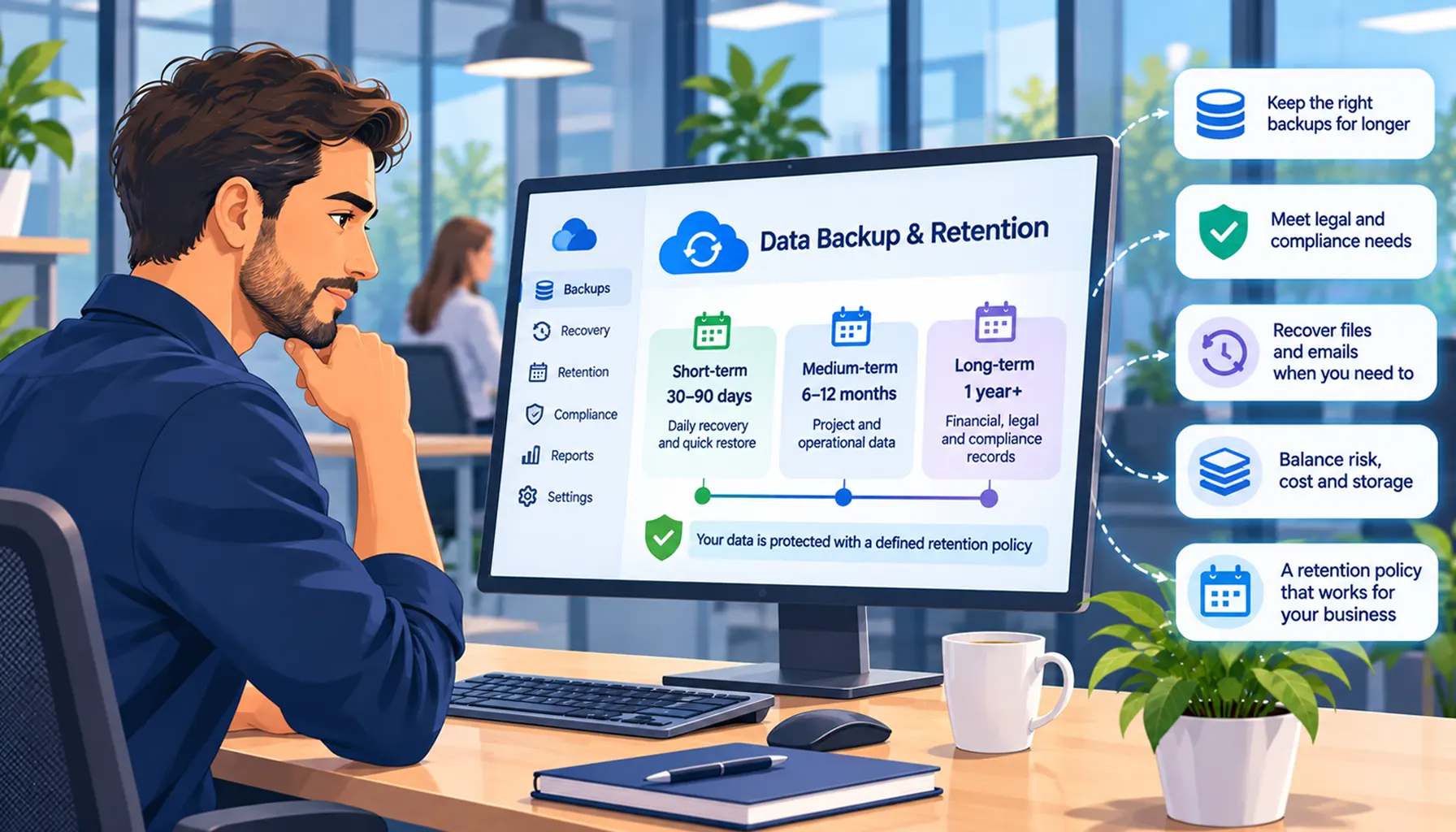
Short-Term Retention: 30 to 90 Days
Short-term retention is commonly considered for routine operational recovery.
It can help when an employee accidentally deletes a document, makes an incorrect change or needs to restore information from a recent point in time.
For example, a business working on frequently updated customer documents might want daily recovery points available for at least several weeks.
This gives employees time to discover recent mistakes and request restoration.
However, a 30-day recovery window may be insufficient for information that is accessed infrequently or problems that take several months to become apparent.
Medium-Term Retention: Six to Twelve Months
Medium-term retention can be useful for businesses whose work follows monthly, quarterly or seasonal cycles.
Imagine an accountancy practice reviewing a client file several months after it was last edited, or a consultancy returning to a project document created earlier in the year.
If a problem is only identified during that later review, older recovery points may be valuable.
Maintaining selected weekly or monthly recovery points over a longer period can provide additional protection without necessarily preserving every daily backup for the entire duration.
Long-Term Retention: One Year or Longer
Some information may justify longer recovery periods because it is particularly important, difficult to recreate or associated with lengthy business processes.
For example, historical project information, important contractual records or certain financial datasets may need to remain available for extended periods.
However, there is an important distinction between keeping the original business record for six years and keeping six years of recoverable backup versions.
A business may need to retain an accounting record for a legally required period, but that does not automatically mean it needs every daily version of the record preserved for the same duration.
The correct approach is to ensure the required record remains available and adequately protected, while selecting backup recovery periods appropriate to the risks involved.
How Long Should You Keep Email Backups?
Email retention can be more complicated than file retention because an individual mailbox often contains several different categories of information.
One employee's mailbox might contain routine meeting arrangements, customer enquiries, signed contractual agreements, financial correspondence and personal information.
These messages do not necessarily have the same business value or retention requirements.
Routine Business Correspondence
Everyday emails may only be useful for a relatively short period, particularly where their contents are duplicated in another business system.
For example, an email confirming a routine meeting time may have little ongoing value once the meeting has taken place.
Businesses should avoid assuming that every message must be retained indefinitely simply because it was sent or received through a company account.
Customer and Project Correspondence
Emails relating to ongoing customer relationships, project decisions or agreed requirements may remain useful for considerably longer.
A business might need to refer to correspondence when reviewing a project, resolving a complaint or confirming what was agreed with a customer.
The appropriate retention period should reflect the business purpose and any applicable legal obligations.
Financial and Contractual Correspondence
Some emails form part of the evidence supporting financial transactions, contractual agreements or other records that the business is legally required to preserve.
In these situations, the email may need to be retained alongside the underlying business records.
It may be more appropriate to preserve important correspondence within an approved document management or records system rather than relying entirely on an employee's mailbox.
What Happens When an Employee Leaves?
Employee departures are another important consideration.
Businesses sometimes assume that a former employee's mailbox will remain available indefinitely or that removing a Microsoft 365 licence will have no effect on historical information.
In reality, mailbox availability and recovery depend on how the account is managed, the applicable Microsoft 365 configuration, retention policies and backup arrangements.
Before deleting accounts or changing licences, businesses should establish whether relevant correspondence needs to be preserved and how it will remain accessible.
Keeping every former employee's mailbox indefinitely is not necessarily appropriate, particularly where it contains personal information that is no longer needed.
What Are the UK Legal Requirements for Data Retention?
UK businesses need to distinguish between their legal obligation to preserve particular records and their technical arrangements for backing up those records.
Different categories of information may be subject to different rules.
UK GDPR and Personal Information
The UK GDPR includes a storage limitation principle, which requires organisations not to keep personal data for longer than necessary for the purposes for which it is processed.
This does not mean every category of personal information has a fixed statutory retention period.
Instead, businesses must identify why they hold the information, how long that purpose continues and whether any legal obligation justifies retaining it for longer.
For example, customer contact information used to deliver an ongoing service may have a different justified retention period from information submitted by an unsuccessful job applicant.
Retention policies should also account for information held in backups, recognising that secure backup systems may have technical recovery and deletion processes that differ from those used for live data.
The Information Commissioner's Office provides guidance on the storage limitation principle.
Accounting Records
UK limited companies are generally required to keep accounting records for six years from the end of the last company financial year to which they relate.
Longer retention may be required in certain circumstances, such as where a transaction covers more than one accounting period or HMRC has started a relevant compliance check.
These requirements concern the preservation of accounting records, not a universal requirement to maintain six years of every backup version.
Businesses should refer to GOV.UK guidance on company and accounting records and seek appropriate professional advice where necessary.
VAT Records
VAT records generally need to be retained for at least six years, although certain VAT schemes and circumstances have different requirements.
For example, the VAT One Stop Shop scheme can involve a ten-year record retention requirement.
Businesses should ensure that the records needed to demonstrate compliance remain available throughout the applicable period.
Contracts, Employment Records and Regulated Information
Contracts, employment information, health and safety records and industry-specific documentation may all be subject to different retention considerations.
There is no single period that can safely be applied to every document in these categories.
Where information relates to a potential legal claim, an investigation or a regulatory obligation, the business may also need to suspend normal deletion processes for relevant records.
For this reason, the technical backup policy should be informed by the organisation's wider records management and compliance requirements.
Microsoft 365 Backup vs Retention Policies: What's the Difference?
Microsoft 365 provides several built-in capabilities that help organisations manage information, recover certain deleted items and apply retention policies.
However, these capabilities do not all serve the same purpose.
OneDrive and SharePoint Version History
OneDrive and SharePoint can maintain previous versions of documents, allowing users to recover earlier content in supported circumstances.
This can be extremely useful when someone accidentally overwrites a file or makes unwanted changes.
However, the availability of historical versions depends on the service configuration, version limits and other applicable settings.
Version history should not automatically be treated as a complete, independently managed backup strategy.
Recycle Bins and Deleted Item Recovery
Microsoft 365 services provide mechanisms for recovering certain deleted files and emails.
These are useful for recent mistakes, but their recovery periods and conditions vary between services.
Businesses should not assume that a document or email deleted several months ago will always remain recoverable through a recycle bin or deleted items folder.
Microsoft Purview Retention Policies
Microsoft Purview provides retention capabilities designed to help organisations preserve or delete information according to defined policies.
Depending on the configuration, these policies can retain content for specified periods, delete it after a defined period or combine both actions.
They can be valuable for records management and compliance.
However, retaining information for compliance purposes is not the same as maintaining an independent backup with flexible recovery options.
Purview retention may preserve content within the Microsoft 365 environment, but it should not be assumed to provide every recovery capability a business might require after a significant incident.
Dedicated Microsoft 365 Backup
Dedicated Microsoft 365 backup services are designed around protecting and restoring supported workloads.
These may include Exchange Online mailboxes, OneDrive accounts and SharePoint sites, depending on the chosen solution.
Microsoft also offers its own Microsoft 365 Backup service, alongside solutions from other providers.
The available retention periods, restore options, storage arrangements and licensing vary by product.
Before selecting a solution, businesses should understand exactly which services are protected, how long recovery points are kept and what happens when information is deleted or an employee leaves.
We've explored this subject in more detail in our article on why OneDrive and SharePoint are not a complete Microsoft 365 backup strategy.
What Is Tiered Backup Retention?
Tiered retention is an approach that preserves recovery points at different intervals over different periods.
Rather than keeping every daily backup for several years, a business might maintain recent daily recovery points, selected weekly recovery points and older monthly recovery points.
For example, a proposed retention structure might keep daily recovery points for 30 days, weekly recovery points for three months and monthly recovery points for one year.
This is an illustrative arrangement rather than a universal recommendation. The appropriate configuration depends on the business's recovery needs, backup product and storage capacity.
The benefit of tiered retention is that it can provide recent recovery options alongside a smaller selection of older recovery points.
It may offer a more manageable balance between recovery flexibility and storage costs.
However, businesses should understand the trade-off. If monthly recovery points are the only copies available from six months ago, restoring information from a particular day within that month may not be possible.
Retention periods therefore need to be considered alongside the frequency and granularity of recovery points.
How Does Backup Retention Help with Ransomware Recovery?
Ransomware can encrypt information, disrupt systems and prevent employees from accessing important business data.
Reliable backups are a critical part of preparing for such incidents, but retention is only one element of the protection required.
Imagine a business discovers that some documents have been altered or corrupted over several weeks.
If the backup system only maintains a short history, it may be difficult to identify a recovery point containing unaffected information.
Longer retention can increase the available recovery options.
However, businesses must also protect the backup system itself.
If an attacker gains access to the backup administration environment and can delete or alter recovery points, the existence of historical backups may provide little reassurance.
Why Immutable or Protected Backups Matter
Some backup solutions support immutable storage or other controls designed to prevent recovery points from being modified or deleted during a defined protection period.
These features can provide additional resilience against malicious or accidental deletion.
Where appropriate, businesses should also consider separating backup administration from ordinary user accounts, applying multifactor authentication and monitoring unusual backup activity.
Regular recovery testing is equally important.
A backup that has never been tested may contain unexpected gaps or require considerably more time to restore than the business anticipates.
Understanding Recovery Point and Recovery Time Objectives
Backup retention is closely connected to two other important business continuity concepts: the Recovery Point Objective and Recovery Time Objective.
Recovery Point Objective (RPO)
The Recovery Point Objective describes how much recent data loss a business can tolerate.
For example, if a system is backed up once every 24 hours, restoring the latest available backup could mean losing changes made since that recovery point.
A business that processes important transactions throughout the day may need more frequent protection than one that updates its information only occasionally.
Recovery Time Objective (RTO)
The Recovery Time Objective describes how quickly a system or service needs to be restored following disruption.
A business may have a year of backup history but still face serious difficulties if restoring its systems takes several days.
Retention, backup frequency and restoration speed therefore need to be considered together.
Retention answers how far back you can recover. RPO helps define how much recent data you can afford to lose. RTO helps define how quickly you need to recover.
All three should reflect the importance of the business systems being protected.
Balancing Backup Retention, Cost and Security
Longer retention can provide additional recovery options, but it is not automatically better in every situation.
Keeping large quantities of historical information may increase storage costs and administrative complexity.
It may also mean that personal or commercially sensitive information remains within backup storage for longer than necessary.
At the other extreme, choosing very short retention periods may reduce costs but leave the organisation unable to recover information when a problem is discovered late.
A risk-based approach considers the consequences of losing different categories of information.
For example, a business may decide that frequently changing operational files require detailed recent recovery points, while historical project records require fewer but longer-lasting recovery points.
Similarly, an organisation may need to preserve particular financial records for legal purposes without retaining every historical version of every unrelated email.
Businesses should also consider the cost of restoring information, not simply the monthly cost of storing backups.
A cheaper backup arrangement may prove expensive if it cannot restore the information the business needs after an incident.
How to Create a Backup Retention Policy for Your Business
A practical backup retention policy should begin with an understanding of the information your business holds and how it is used.
1. Identify Your Important Information
Start by reviewing the systems and data your business relies on.
This might include Microsoft 365 mailboxes, SharePoint document libraries, OneDrive accounts, accounting software, customer databases and files held on local servers.
Identify which information would be difficult or impossible to recreate if it were lost.
2. Understand How Quickly Problems Are Discovered
Consider whether errors are normally noticed immediately or whether some information is only reviewed after several months.
For example, an actively used customer document may be checked every day, while a completed project file might not be opened again until the following year.
This helps determine how far back recovery points may need to extend.
3. Establish Legal and Business Retention Requirements
Identify any statutory, contractual or regulatory obligations affecting the records you hold.
Document why particular categories of information must be retained and for how long.
Where necessary, seek advice from an accountant, solicitor or appropriate compliance professional.
4. Select Appropriate Backup Retention Periods
Work with your IT provider to determine suitable recovery windows for each important system.
Consider whether daily, weekly and monthly recovery points would provide the necessary flexibility.
Make sure the backup solution can actually support the proposed retention arrangement.
5. Protect the Backup Environment
Review who can access, modify or delete backups.
Consider multifactor authentication, protected storage, appropriate access permissions and separation from ordinary business accounts.
For important systems, assess whether immutable or otherwise protected recovery points are appropriate.
6. Test Restoration
Regularly test whether information can be restored successfully.
Testing should include realistic scenarios, such as recovering an individual document, an older email or a larger collection of information.
Record the results and address any gaps.
7. Review the Policy Regularly
Backup requirements can change when a business adopts new software, increases its workforce, takes on different customers or becomes subject to additional compliance obligations.
Review retention arrangements periodically and whenever significant changes occur.
A retention policy should be a working part of the business's wider data protection and continuity planning, not a document that is created once and forgotten.
Common Backup Retention Mistakes to Avoid
Assuming Cloud Storage Means Everything Is Backed Up
Using Microsoft 365 or another cloud service does not automatically mean your business has the backup retention and restoration capabilities it requires.
Cloud platforms provide valuable resilience and recovery features, but businesses still need to understand their specific protection arrangements.
Keeping Only Recent Backups
Short recovery windows may work for everyday mistakes but provide fewer options when problems are discovered several months later.
Keeping Everything Forever
Indefinite retention can increase costs and create unnecessary data protection risks.
Historical information should be retained for a justified purpose rather than simply because storage is available.
Confusing Legal Retention with Backup History
A requirement to preserve a record for six years does not necessarily mean every daily backup containing that record must be kept for six years.
Businesses need to ensure the record remains available while selecting appropriate technical recovery arrangements.
Never Testing a Restore
A successful backup notification is not proof that every file, mailbox or system can be restored as expected.
Recovery testing is essential to establish whether the backup arrangement meets business requirements.
Forgetting About Former Employees
Employee departures can affect access to emails, OneDrive files and other business information.
Offboarding procedures should include decisions about what information needs to be preserved, who should have access and when it should be deleted.
How Telanova Helps Businesses Protect Their Data
Backup retention is not simply a question of selecting a number of days in a software settings screen.
Businesses need to understand which systems are being protected, how far back they can recover, how quickly restoration can take place and whether their arrangements are appropriate for the information they hold.
At Telanova, we help small and medium-sized businesses across Berkshire manage and protect their IT environments, including Microsoft 365, business systems, backup arrangements and disaster recovery planning.
Our approach is to help businesses understand their actual recovery requirements rather than assume that one backup configuration will suit every organisation.
Whether you're concerned about recovering deleted emails, protecting SharePoint documents or understanding how long your business information remains recoverable, we can help you review your existing arrangements and identify potential gaps.
Based in Bracknell, Telanova supports organisations throughout Berkshire, including Reading, Wokingham, Ascot and surrounding areas.
Find out more about our managed IT support services and how we help businesses keep their technology reliable and secure.
Backup Retention FAQs
What is backup retention?
Backup retention is the length of time recoverable copies of information are preserved before they expire or are removed according to a backup system's policy. It determines how far back a business may be able to restore files, emails or other protected data.
How long should a small business keep backups?
There is no single retention period suitable for every small business. Some organisations use daily recovery points for 30 to 90 days alongside selected weekly or monthly recovery points for longer periods. The appropriate arrangement depends on the importance of the information, recovery requirements and applicable obligations.
How long should businesses keep email backups?
Email backup retention depends on the business's recovery requirements and the type of correspondence involved. Routine messages may have different retention needs from financial, contractual or regulated communications. Businesses should distinguish between keeping emails as records and maintaining historical backup copies for recovery.
Does UK GDPR specify how long backups must be kept?
No. The UK GDPR does not prescribe a universal backup retention period. Organisations must be able to justify how long they retain personal information, taking account of the purpose for holding it and any applicable legal requirements. Backup arrangements should form part of the organisation's wider data retention and protection approach.
Do UK businesses have to keep financial records for six years?
UK limited companies generally need to keep accounting records for six years from the end of the relevant company financial year, with longer periods required in certain circumstances. VAT records are also generally retained for at least six years, although specific schemes may have different requirements. These obligations do not automatically require six years of daily backup versions.
Is Microsoft 365 retention the same as backup?
No. Microsoft 365 retention policies are primarily designed to preserve or delete information according to records management and compliance requirements. Backup services focus on protecting and restoring information following incidents. Both can be useful, but they have different purposes and capabilities.
Can I recover a deleted email from six months ago?
Possibly, but it depends on your email service, retention settings and backup arrangements. Standard deleted item recovery may not cover that period, while an appropriate retention or backup solution may preserve the information. Your IT provider should be able to confirm the recovery options available in your environment.
What is tiered backup retention?
Tiered backup retention preserves recovery points at different intervals over different periods. For example, a business might keep recent daily backups, selected weekly backups and older monthly backups. This can provide a balance between recovery flexibility and storage requirements.
Can longer backup retention protect against ransomware?
Longer retention can provide additional recovery options if malicious changes or corruption are discovered after a delay. However, backups must also be protected against unauthorised modification or deletion, and recovery procedures should be tested regularly. Retention alone does not prevent ransomware.
How often should a business review its backup retention policy?
Businesses should review backup retention periodically and whenever significant changes occur, such as introducing new systems, changing legal obligations or expanding operations. An annual review can be a useful starting point, but higher-risk systems may require more frequent attention.
The Right Backup Retention Policy Is About Recoverability
Backing up your business information is essential, but the existence of a backup is only part of the picture.
You also need to know how long recovery points remain available, whether older versions can be restored and what happens when information is deleted, corrupted or affected by a security incident.
Keeping too little backup history can leave a business without the information it needs. Keeping everything indefinitely can create unnecessary costs and data protection risks.
The most effective approach is to match backup retention to the importance of the information, the business's recovery requirements and its wider legal and records management responsibilities.
For Microsoft 365 users in particular, understanding the difference between native recovery features, retention policies and dedicated backups can help prevent unexpected gaps in protection.
Ultimately, a good backup retention strategy should give your business confidence that important information can be recovered when it is needed.
Do You Know How Far Back Your Business Can Recover Its Data?
If an important email disappeared six months ago, could your business restore it? If a critical document was corrupted several weeks before anyone noticed, would an unaffected version still be available?
These are questions every business should be able to answer.
Telanova helps businesses across Bracknell, Reading, Wokingham, Ascot and the wider Berkshire area understand their backup, Microsoft 365 and disaster recovery arrangements.
If you're unsure what your existing backup system protects, how long recovery points are kept or whether your business could recover from a serious data loss incident, speak to our team.
Explore Telanova's Business IT Support Services or call 01344 989 530 to discuss your requirements.